How to complete KYC on the Belong app?
Completing KYC on Belong is a completely digital and hassle-free process:
Once you have logged in to the app, please follow the following steps:
1. Add personal details:
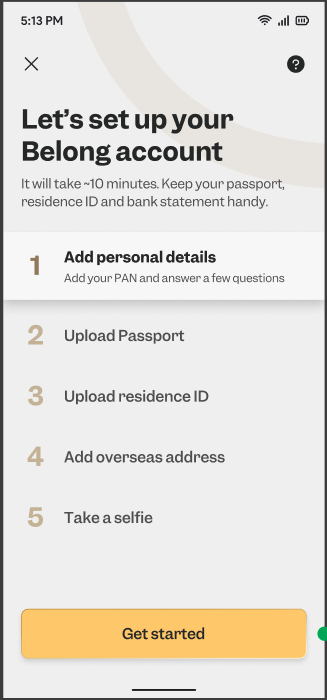
- Select the offering that you are interested in;
- Select your status as an NRI or OCI;
- Add personal details: Educational Qualification, Occupation, Employer Name, Industry type, Monthly income;
- Add Nominee details;
- Enter your PAN;
- Enter the last 4 digits of your Aadhaar, Name as per Aadhaar, DOB & Gender
2. Upload your Passport:
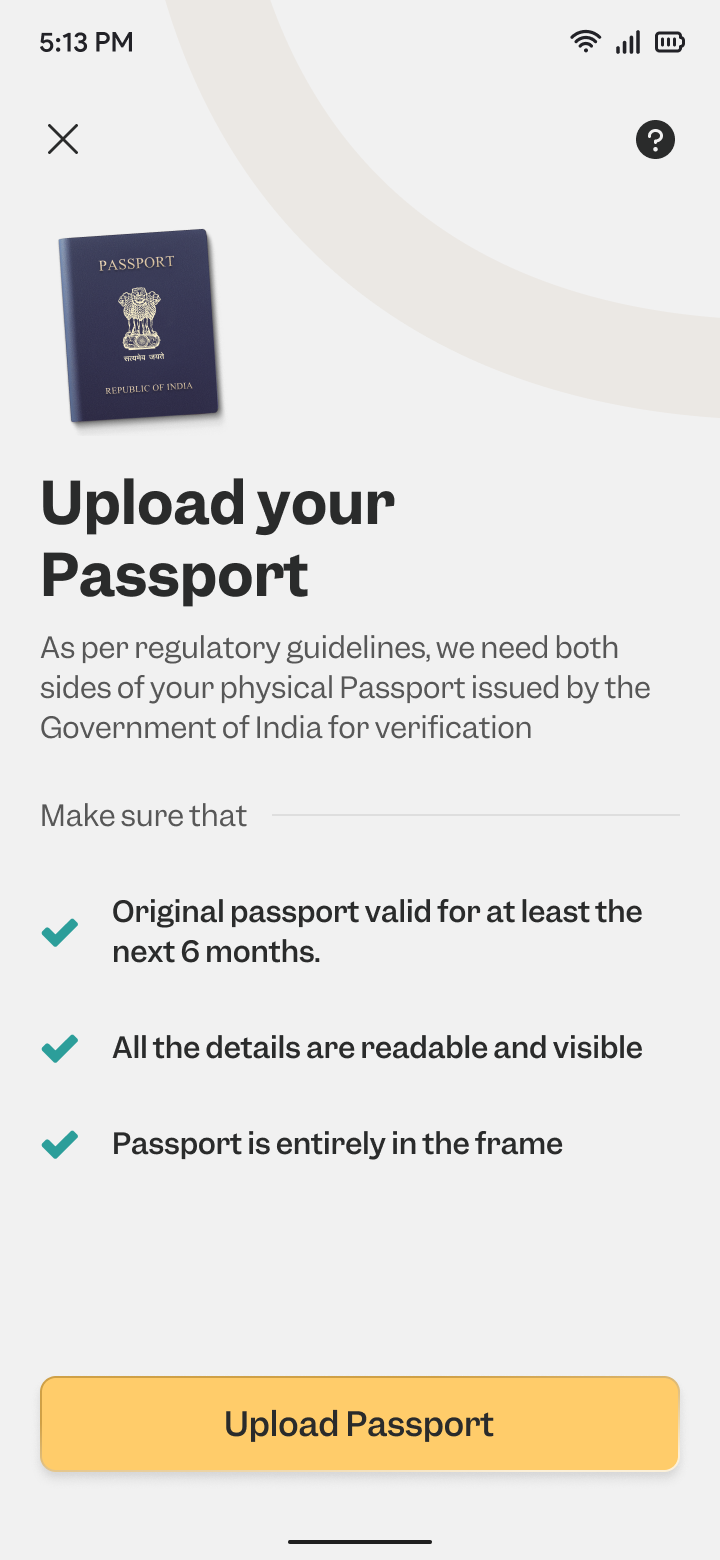
Please ensure that at the time of uploading, your passport is valid for at least the next 6 months.
You can either take a photo of your passport, upload from gallery, or upload a pdf copy. You are required to upload both the front and back pages of the passport.
3. Upload your Residence ID:
Please upload both sides of your physical residence ID. The residence ID should be valid for the next 30 days at the time of upload.
4. Add Overseas Address Proof:
Simply input the address that you have in the bank records.
5. Selfie:
Kindly upload a clear selfie to validate your identity.
6. Confirm KYC details:
Once you have uploaded all the documents, you can submit the details by clicking on "Confirm KYC details".

In case, the CKYC records have expired or no CKYC record is found, you can complete DigiLocker step on the app.
Our team will validate the documents submitted by you and activate your account in 1-2 working days.